Activities
Overview
In BUDA framework, activities refer to the simulated type of actions executed by decoy user profiles. These are going to emulate realistic user behavior—such as logins, file accesses, command executions, and other routine interactions—to build a credible digital footprint. This dynamic simulation supports deception operations by creating activity traces that distract and mislead potential attackers.
Key Components of Activity Simulation
BUDA’s activity simulation is built around the next elements:
Activity type elements
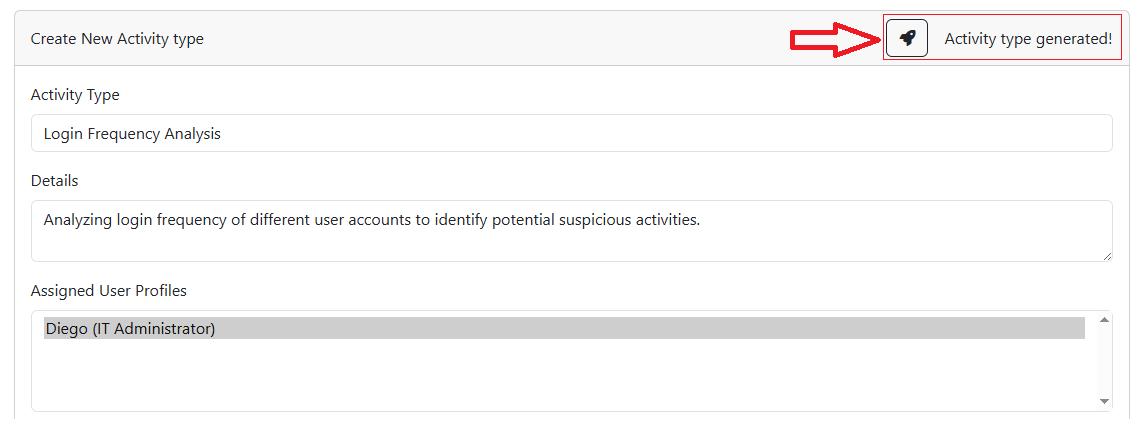
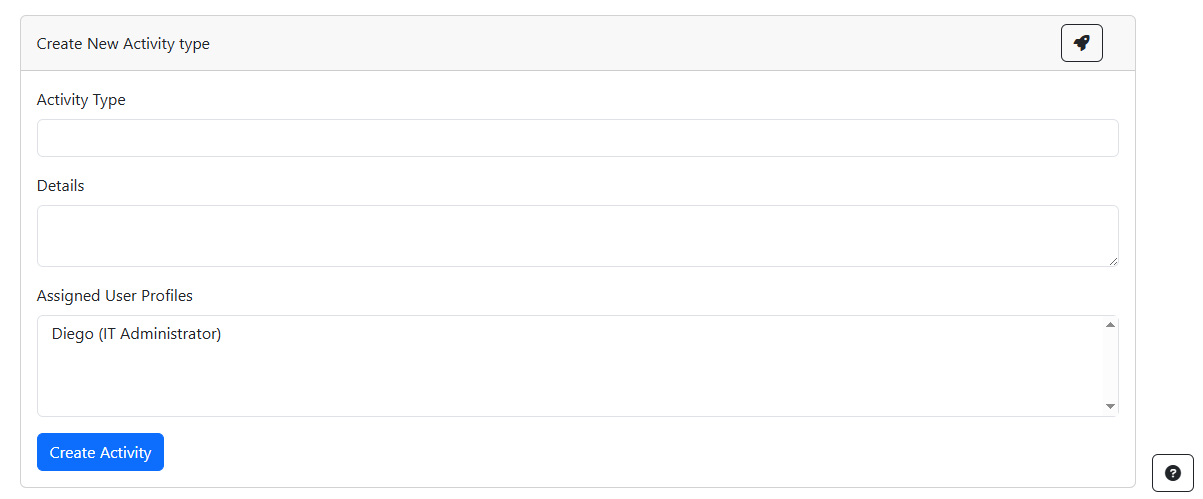
Activity type: Define the type of action to be simulated, such as browsing, editing, or login.
Details: Specify the parameters of the action, such as the target file, the accessed URL, or the executed command.
Assigned User Profiles: Select the user profiles that will perform the activity.
Configuring Activity types in BUDA
Setting up activities involves several steps:
- Manual Creation:
Customize the types of actions to be simulated for each user profile. This can include selecting from predefined activity templates or creating custom sequences.
- Assisted Generation:
Use the LLMs to assist in the activity type creation process. The LLMs can provide insights on the activity design to enhance the simulation strategy.