User Profiles
Overview
User profiles in the BUDA framework represent the simulated identities that interact within the deception environment. These profiles are carefully designed to mimic real users by incorporating attributes such as name, role, behavior patterns, and routine activities. The goal is to create decoy identities that are realistic enough to engage attackers while reinforcing the overall deception strategy.
Key Components
User profiles in BUDA are managed through the next components:
User Profile definitions
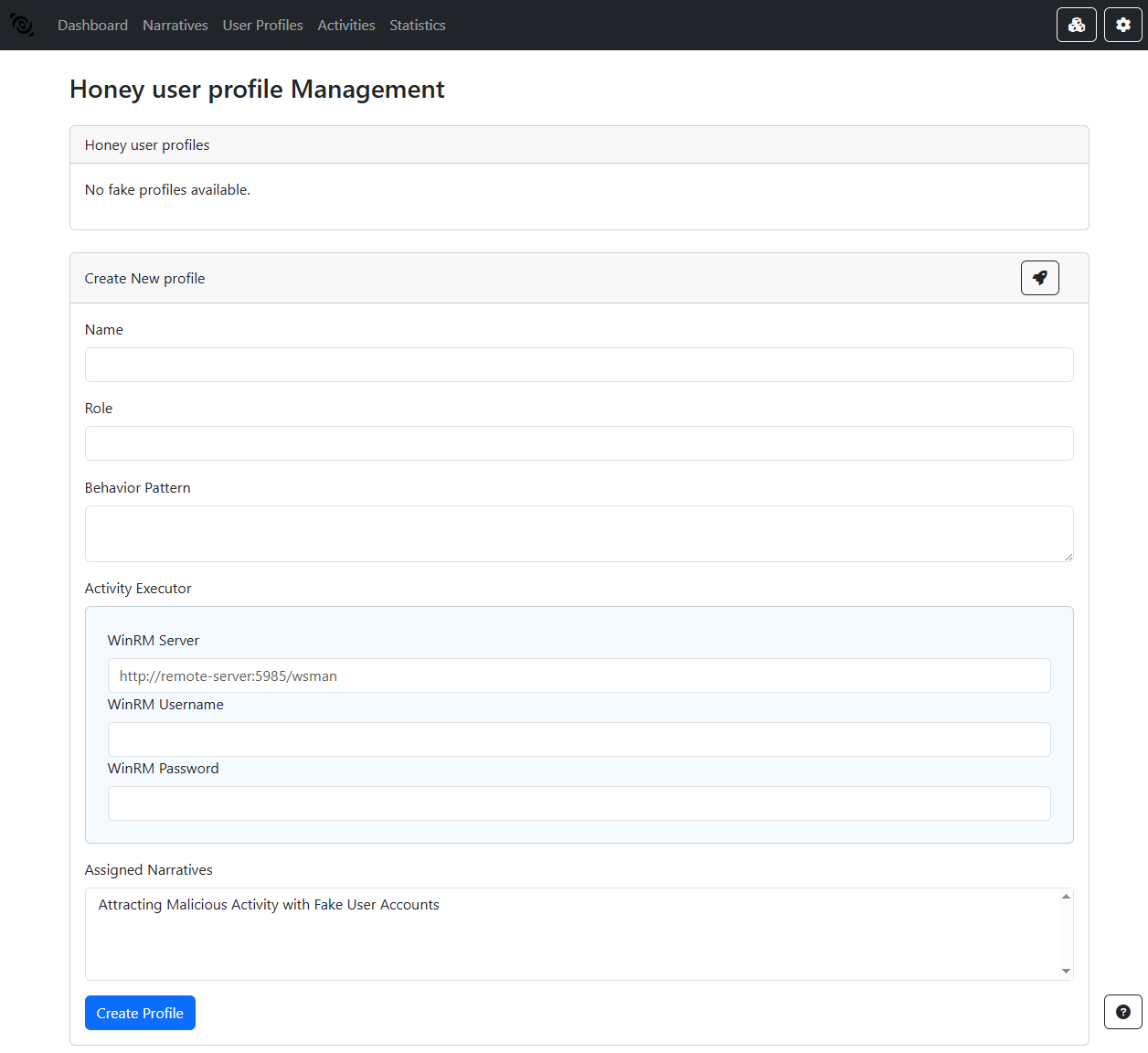
Name: Assign a unique identifier to the profile for easy reference and tracking.
Role: Define the role or job title associated with the profile. This helps in determining the user’s access rights and responsibilities within the simulated environment.
Behavioral patterns: Configure routines and activities typical for the role. This includes setting work hours, application usage, file accesses, and communication habits.
Activity executor
WinRM Server: Specify the WinRM server that will execute the activities on behalf of the user profile.
WinRM Username: Provide the username for the WinRM endpoint.
WinRM Password: Provide the password for the WinRM endpoint.
Assigned narratives
Narratives: Link the user profile to one or more narratives that define the context and objectives of the deception operation.
Configuring User Profiles in BUDA
Setting up user profiles involves several steps:
- Manual Creation:
Security teams can create profiles by manually specifying attributes and behavior parameters tailored to specific operational needs.
- Assisted Generation:
The system supports assisted profile creation using integration with language models (LLMs) to automatically generate realistic profiles. Based on assigned narratives and global context.
