Configuration
Overview
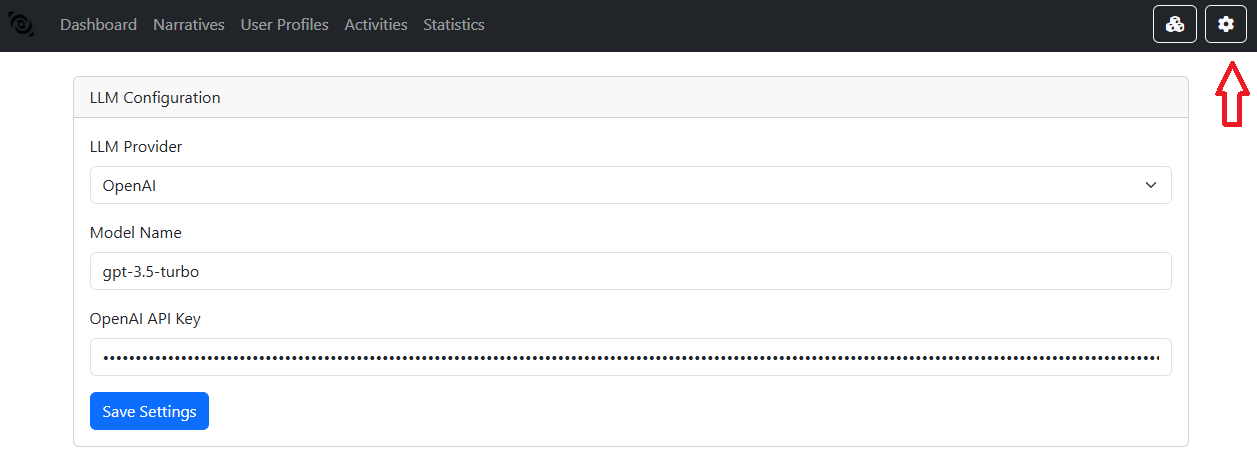
In the Settings menu, you can manage several configurations arround the BUDA arquitecture.
LLM Configuration
BUDA supports configuration via files (e.g., YAML or Python settings files) and environment variables. Key configuration areas include:
LLM Provider: The LLM provider to use for the command generation and the assistance. BUDA supports OpenAi integration and LM Studio (running your own local model).
Model Name: The name of the model to use from the LLM provider.
OpenAi Api Key: The API key for the OpenAi API. (If you choose to use OpenAi)
LM Studio URL: The URL of the LM Studio instance. (If you choose to run your own model)
Database Configuration
The first time you run BUDA, you will need to create a SQLite database using the “Recreate Database” button. This database will rescreate all the structure for the narratives, user profiles, and activities.
